
Search-first portfolio planning
Find Projects. Stack your Portfolios.
PortfolioStack allows you to search project templates to build, manage, and deliver portfolio initiatives.
Popular topics
Explore first
Search projects and review detailed project content right away.
Build with a free account
Save favorites, create portfolios, and manage projects in one workspace.
Upgrade when needed
Unlock AI assistance, higher limits, and additional capabilities.
How it works
From search to portfolio in a few steps
Search the catalog
Find projects by topic, industry, role, or workflow.
Explore the details
Review plans, rules, measures, skills, tools, and related project information.
Build your portfolio
Create a free account to save projects and organize them into a working portfolio.
Manage the work
Track status, dates, costs, compliance, evidence, apps, and exports in one place.
See it in action
Watch how it works
See how teams use PortfolioStack to go from project search to a managed portfolio in minutes.

Project discovery
Start with projects you can actually inspect
Review structured project details before you commit. Explore the work plan, requirements, measures, resources, tools, and related project information in a live product experience.
- Search by keyword, industry, or role
- Preview project scope before opening full details
- Explore plans, rules, measures, skills, and tools
Portfolio workspace
Turn projects into a fully working portfolio
Group projects together, track them in one place, and build a portfolio that reflects the work you actually need to manage.
- Save projects and organize them into portfolios
- Manage projects across a shared workspace
- Share read-only portfolio views when needed


Execution tracking
Track execution with more clarity and control
Use the portfolio grid, dashboard, timeline, and resource views to manage status, dates, cost, dependencies, requirements, and deliverables across your stack.
- Edit status, dates, notes, and cost in one workspace
- Monitor progress, workload, timelines, and compliance
- Keep project context visible while work changes
Task-linked apps
Get the work done inside the platform
Launch built-in apps directly from tasks and work in context with project and task details already filled in.
- Open apps directly from portfolio tasks
- Use structured workspaces tied to the task
- Keep artifact creation connected to execution


Exports and sharing
Export, share, and extend your workflow
Export project or portfolio data, share read-only views, and connect supporting tools as your workflow grows.
- Export projects and portfolios
- Share public read-only portfolio views
- Connect external tools on supported plans
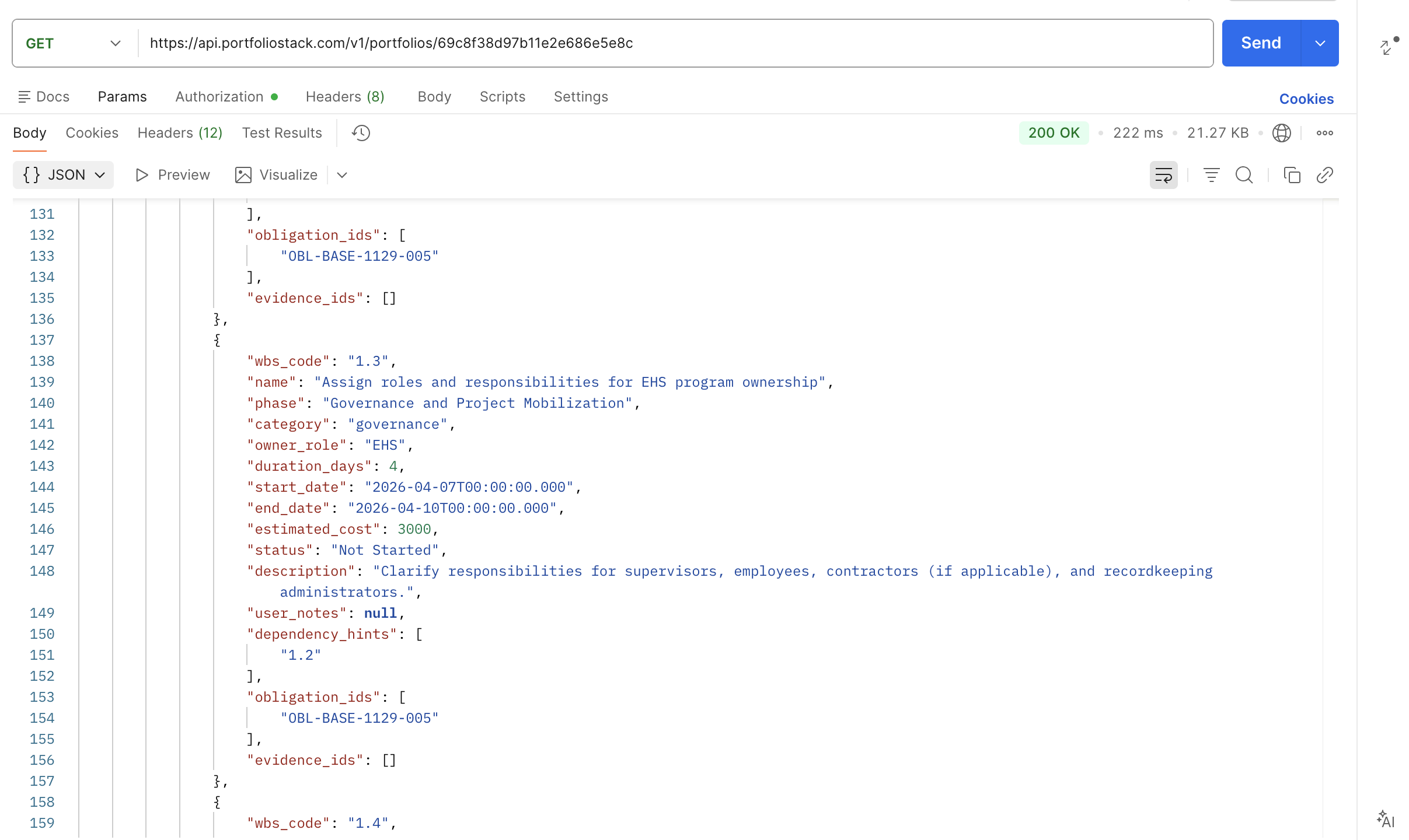
API Integration
Connect your data to the tools you already use
Query projects and portfolios programmatically with a simple REST API. Generate an API key from your account and start building.
- Search the project catalog by keyword, industry, or role
- Access portfolio metrics and task data via API
- Secure key-based auth, no OAuth required
AI in context
AI support built into your workflow
Ask questions about project templates and your portfolio, get contextual guidance based on where you are in the app, and pick up past conversations anytime

Skills and tools
More than plans. The resources behind the work.
PortfolioStack connects projects to suggested learning pathways and supporting tools, giving teams more context for how work gets done.






Access model
Start free. Upgrade when you need more.
PortfolioStack lets visitors start exploring right away, then deepen their usage over time.
Explore before you sign up
Search projects, review details, and understand the work before creating an account.
- Search and browse the project catalog
- Open project details and review structured content
- Get useful value before committing
Save, organize, and manage
Create a free account to save projects, build portfolios, and work within the platform.
- Save favorites
- Create and manage portfolios
- Access more workflow capabilities with usage limits
Unlock more power
Expand usage limits and access advanced capabilities for more demanding workflows.
- REST API and third-party integrations
- Access AI assistance
- Unlock plan-based advanced features
Explore projects by role
Designed for the people doing the work
Find projects tied to the teams most often responsible for planning, delivery, oversight, and support.
Compliance and Risk Oversight
Explore projects that support requirement visibility, evidence tracking, documentation, and ongoing oversight.
Built for structured oversight
Review plans tied to requirements and supporting outputs, track documentation and evidence across related work, and support execution with task-linked apps.

Start exploring now
Search the catalog, review project details, and see how PortfolioStack works before creating an account.